
Documentation Index
Fetch the complete documentation index at: https://docs.neoagent.io/llms.txt
Use this file to discover all available pages before exploring further.
Overview
Automation in Neo Agent runs in two ways: event-based triggers and time-based schedules. Triggers react to PSA events as they happen. Schedules run at set cadences.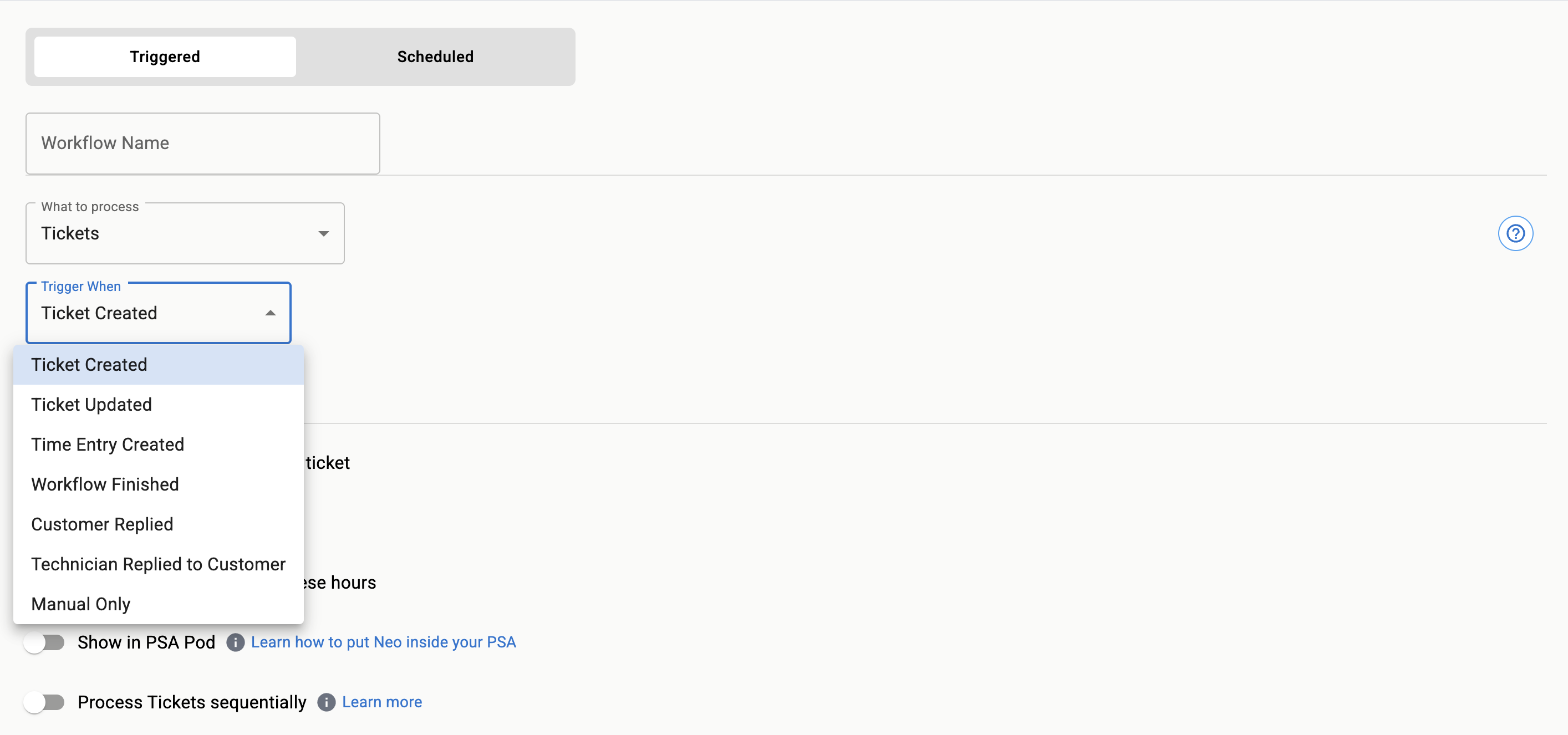
Triggered vs scheduled
- Triggered workflows: Start instantly when a defined event occurs (for example, ticket created, ticket closed, time entry posted).
- Scheduled workflows: Start on a fixed cadence (for example, every 5 minutes, hourly, daily) and evaluate matching items at run time.
Example scenarios
- Triggered: Auto-assign new P1 incidents from specific queues.
- Triggered: Comment on tickets when end users reply after hours.
- Scheduled: Close tickets in “Pending Customer” older than 14 days.
- Scheduled: Recalculate priorities for open requests each morning.
- Scheduled agent: Scan for new M365 admin role assignments daily and alert on unauthorized changes.
- Scheduled agent: Disable accounts inactive for 90+ days across connected tenants.
Scheduled agents run on a cadence without processing a specific ticket. They’re ideal for proactive M365 administration, compliance audits, and recurring maintenance. See Scheduled Agents to learn more.
Design guidelines
Choosing the right entry point
Choosing the right entry point
If the action must happen immediately after an event, use a trigger. If you need to scan a set of items (for example, all open tickets) on a cadence, use a schedule.
Controlling scope with filters
Controlling scope with filters
Both triggers and schedules support deterministic and AI-assisted filters. Start with deterministic criteria for predictability, then layer AI filters to reduce noise.
Avoiding duplicate work
Avoiding duplicate work
For scheduled runs, write actions idempotently and track markers (labels, custom fields, comments) to prevent repeating the same change.