
Neo Agent integrates with IT Glue for automatic documentation sync and full read/write API access to IT Glue resources via the ITGlue API tool.Documentation Index
Fetch the complete documentation index at: https://docs.neoagent.io/llms.txt
Use this file to discover all available pages before exploring further.
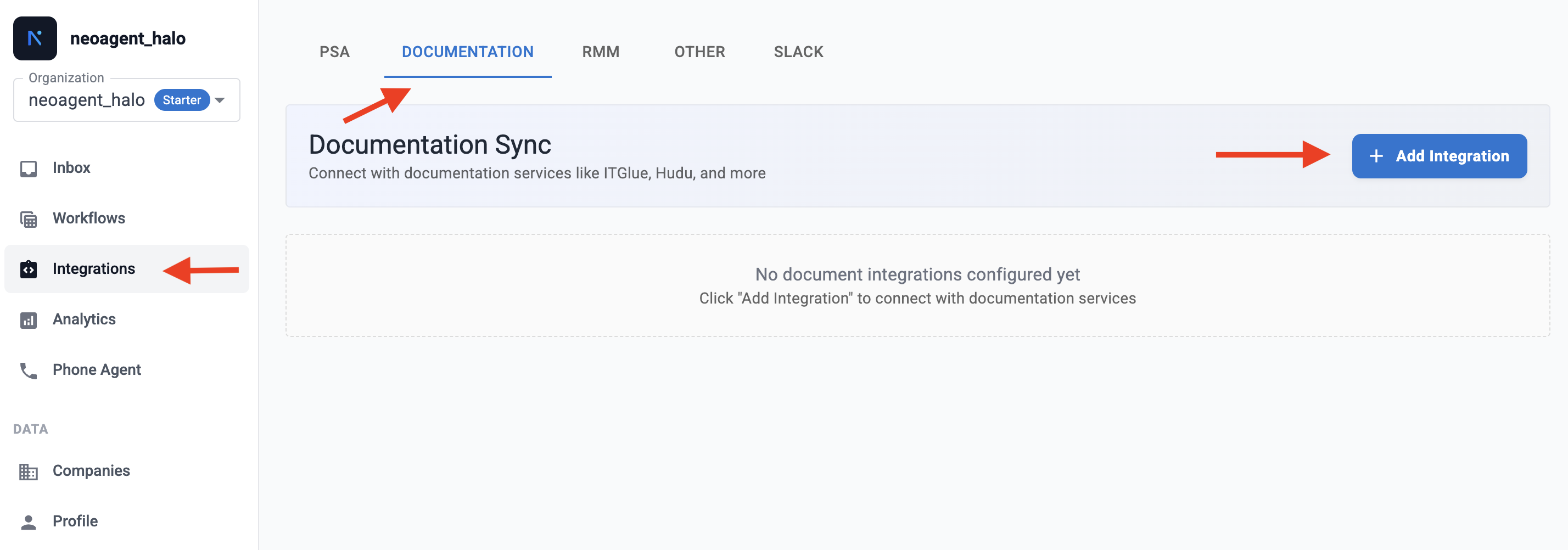
Setup
Generate IT Glue API credentials
- In IT Glue, go to Account → Settings → API Keys.
- Click Generate API Key.
- Copy the API key.
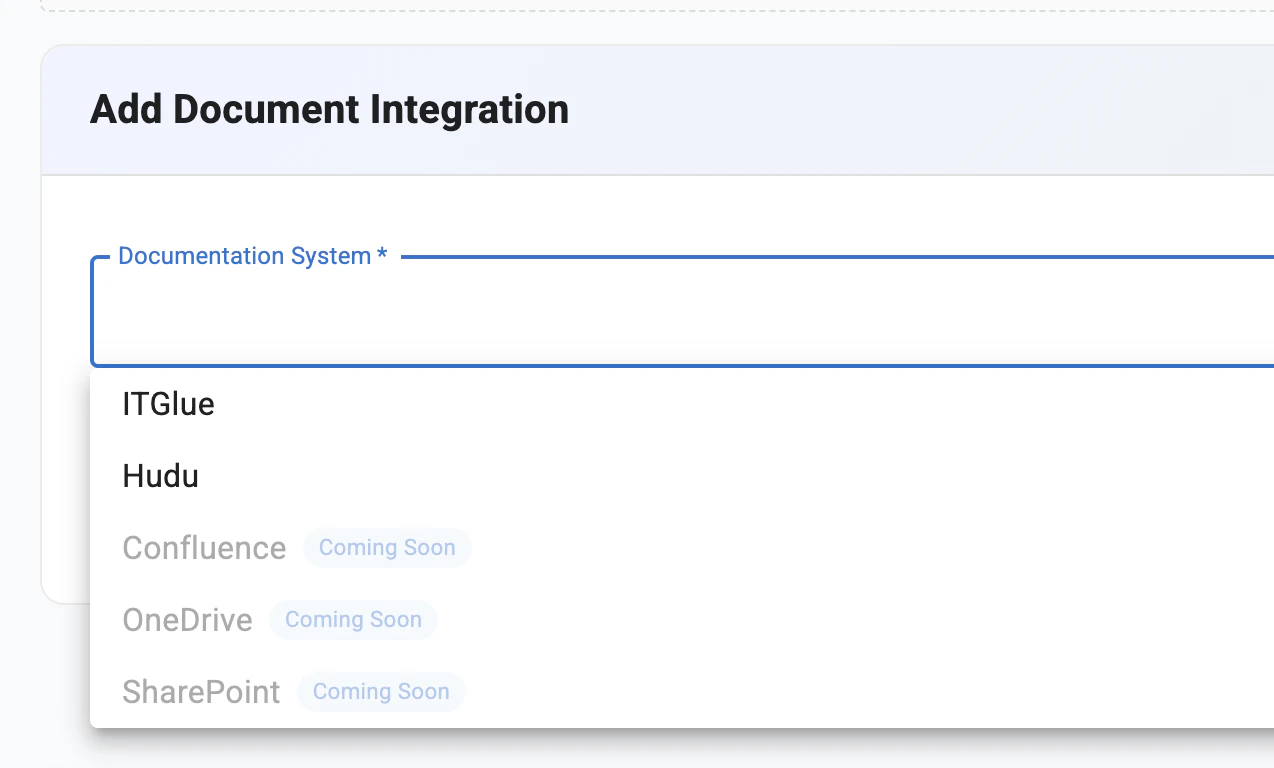
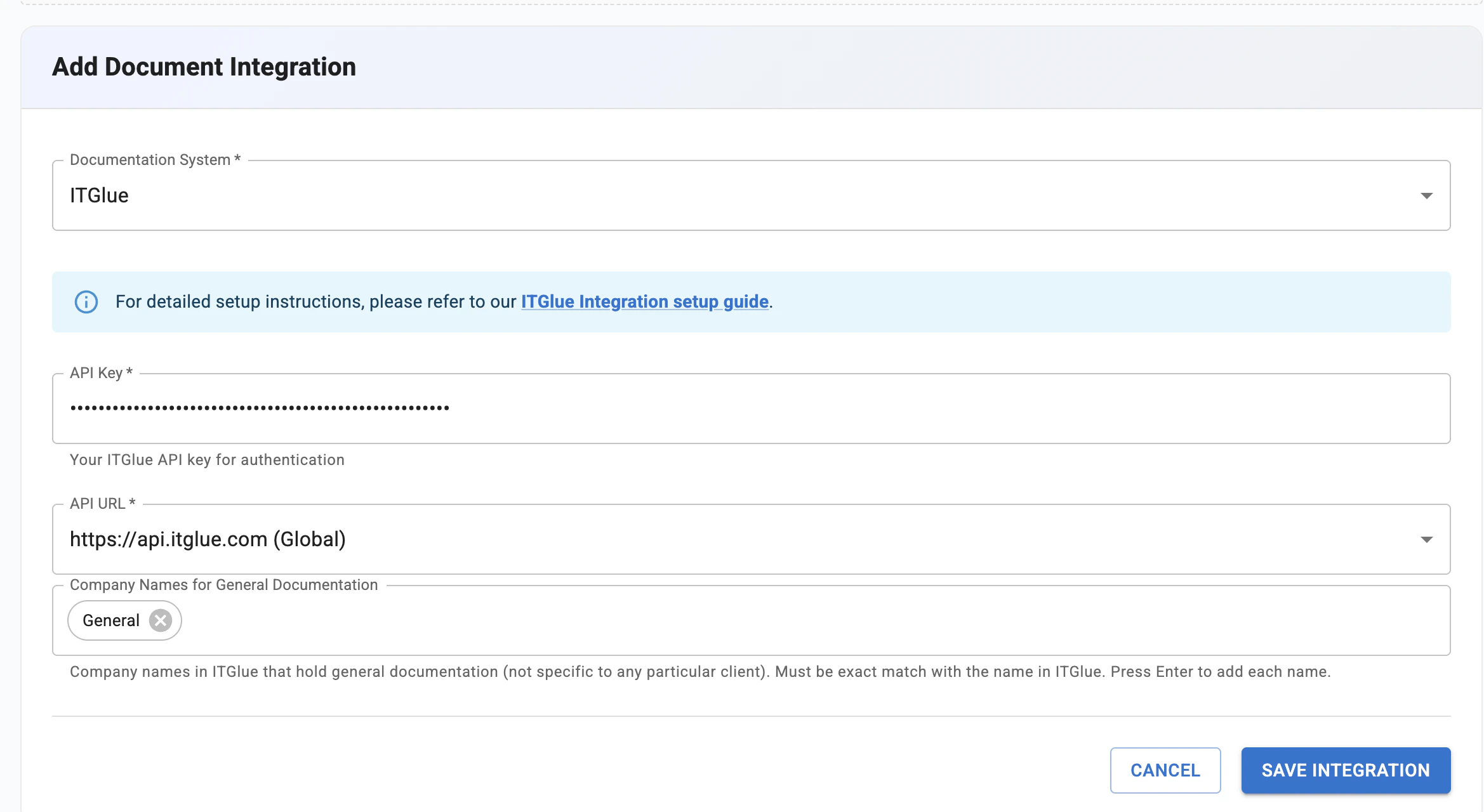
What Gets Synced
Once connected, Neo syncs the following daily for search during ticket resolution:| Content Type | Status |
|---|---|
| Documents | Synced |
| Flexible Assets | Synced |
| Configurations | Synced |
| Organizations | Synced (for document organization) |
ITGlue API Tool
Beyond sync, agents can interact with the full IT Glue API in real time — reading, creating, updating, and deleting documents, flexible assets, configurations, contacts, organizations, and passwords. Access is controlled through 7 permission groups with configurable access levels and technician approval requirements.See the ITGlue API tool documentation for permission groups, access profiles, and safety controls.
Security
- Permission-based access control across 7 resource categories
- Technician-in-the-Loop for write operations on sensitive resources
- Password writes always require technician approval, regardless of settings
- Organization deletion always blocked
- All data encrypted in transit and at rest